Leads
Leads assistant
The leads assistant answers questions about your leads in plain language and prepares changes for you. Open it on the Leads page with the Ask about your leads button.
Beta
The leads assistant is a beta feature. It can make mistakes — check its suggestions before you confirm them. We'd love your feedback.
Asking questions
Ask the way you would ask a colleague. For example:
- "Who has a trial this week?"
- "Who trains next?"
- "Show me the newest leads."
- "Who has been in Follow up for more than 30 days?"
- "Are any leads already members?"
- "How many leads become members after a trial?"
- "Tidy up my board."
The assistant replies in the language of your question and only quotes numbers it read from your data.
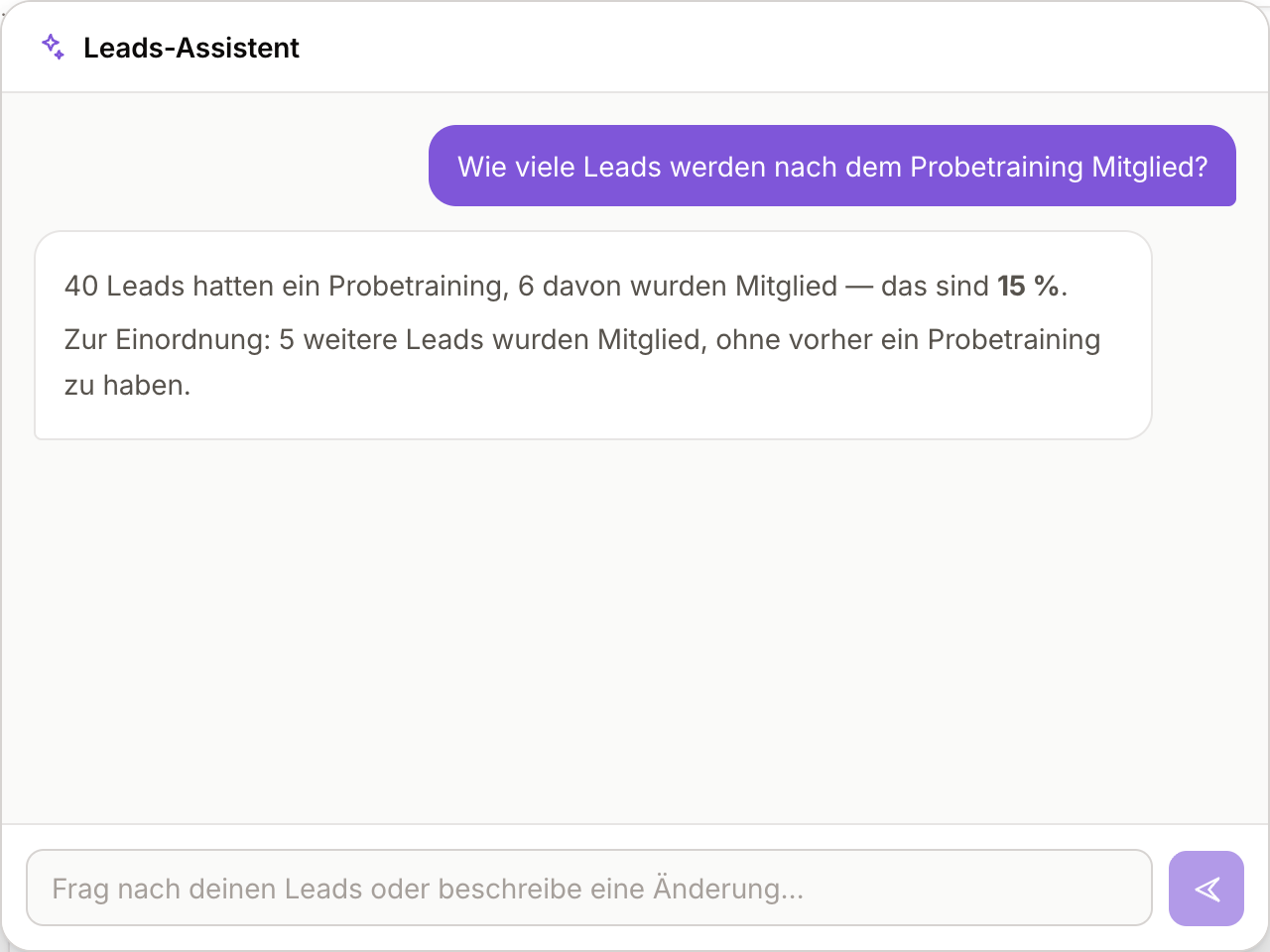
What counts in the trial rate
A trial only counts once it has happened — marked Attended or No-show, or its date has passed. A trial still ahead stays out: the lead has had no chance to become a member yet.
Suggestions when you open it
Before you type anything, the panel offers a few suggestions carrying your club's own numbers — whatever is currently stuck. Clicking one asks exactly that question. A suggestion only appears when there is something behind it:
| Suggestion | Appears when |
|---|---|
| Review past-due trials | The date has passed, but the lead is still in Scheduled or Rescheduled. |
| New leads nobody contacted | Leads have sat in New for at least three days with no contact attempt logged. |
| Dormant leads | Leads are in Considering, Follow up or On Hold and nobody has touched them for 45 days. |
| How is my pipeline doing? | always — the question about the numbers, backlog or not. |
What you can filter by
Your question may combine any number of these:
| Criterion | For example |
|---|---|
| Name, email address or lead ID | "Show me lead 1000072", "Who is maria@…?" |
| Column | "everyone in Follow up and Considering" |
| Age of the lead | "created in the last 7 days", "older than 30 days" |
| Last activity | "nothing has happened for 45 days" |
| Contact attempts | "not a single contact attempt yet" |
| Trial | "past due", "still ahead", "between 1 and 7 October" |
| Already had a trial | "who has had one?", "who never has?" |
| Source | "everyone from Instagram" |
| Sorting | "the newest", "the oldest", "by trial date" |
Confirming changes
The assistant never changes anything itself. When you ask for a change, it shows a suggestion listing the affected leads — nothing changes until you click Confirm. Dismiss leaves everything as it is.
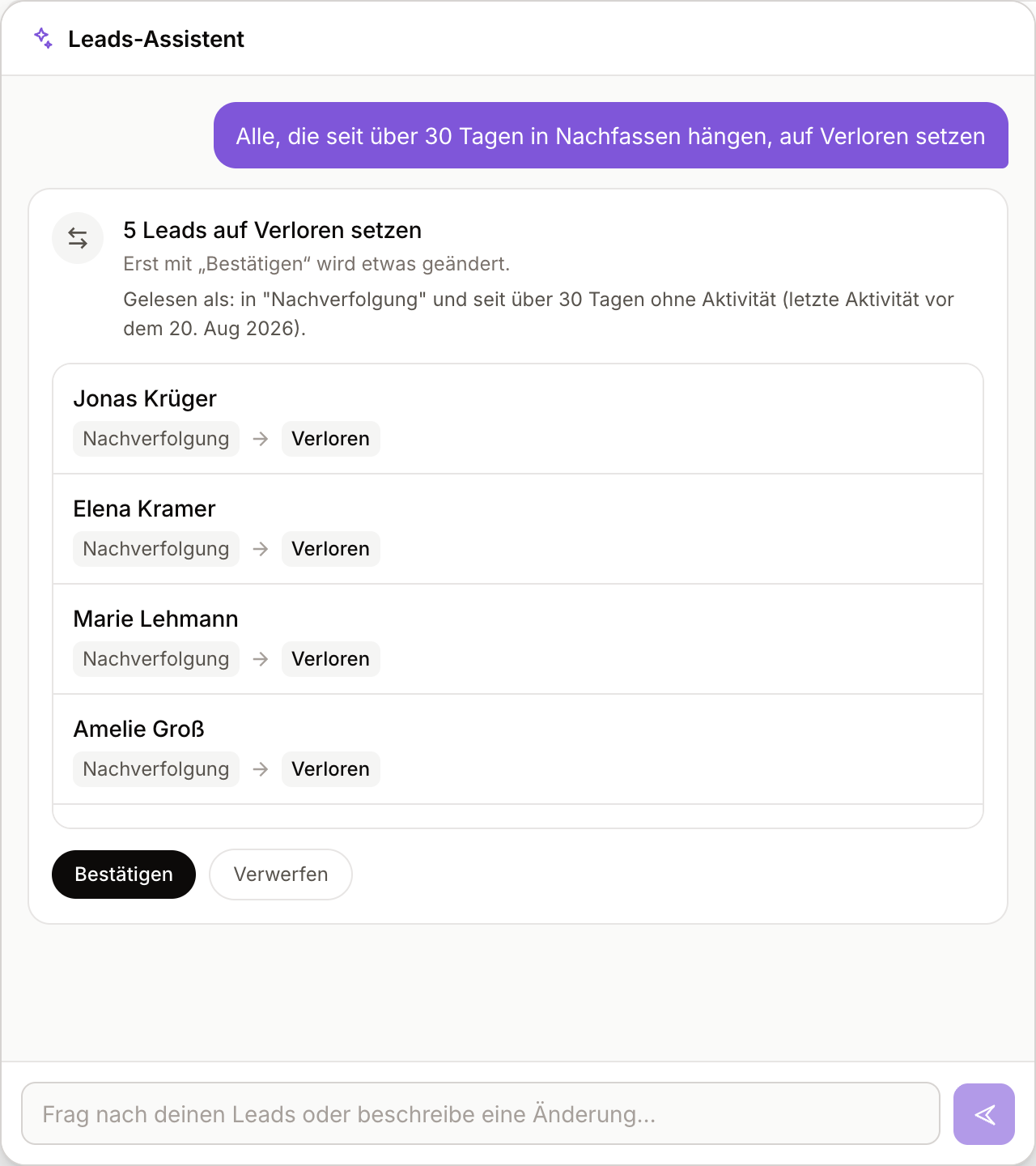
What you get depends on what you ask for:
| You want to | Suggestion |
|---|---|
| Move leads to another column | Status change showing the current and new column per lead |
| Book a trial | A Pick class button per lead; you pick the class in the scheduling dialog |
| Turn a lead into a member | The convert dialog opens |
| Sort out past trials | Attended or No-show per person |
| Find leads who are already members | A conversion per lead, with the matched member in the dialog |
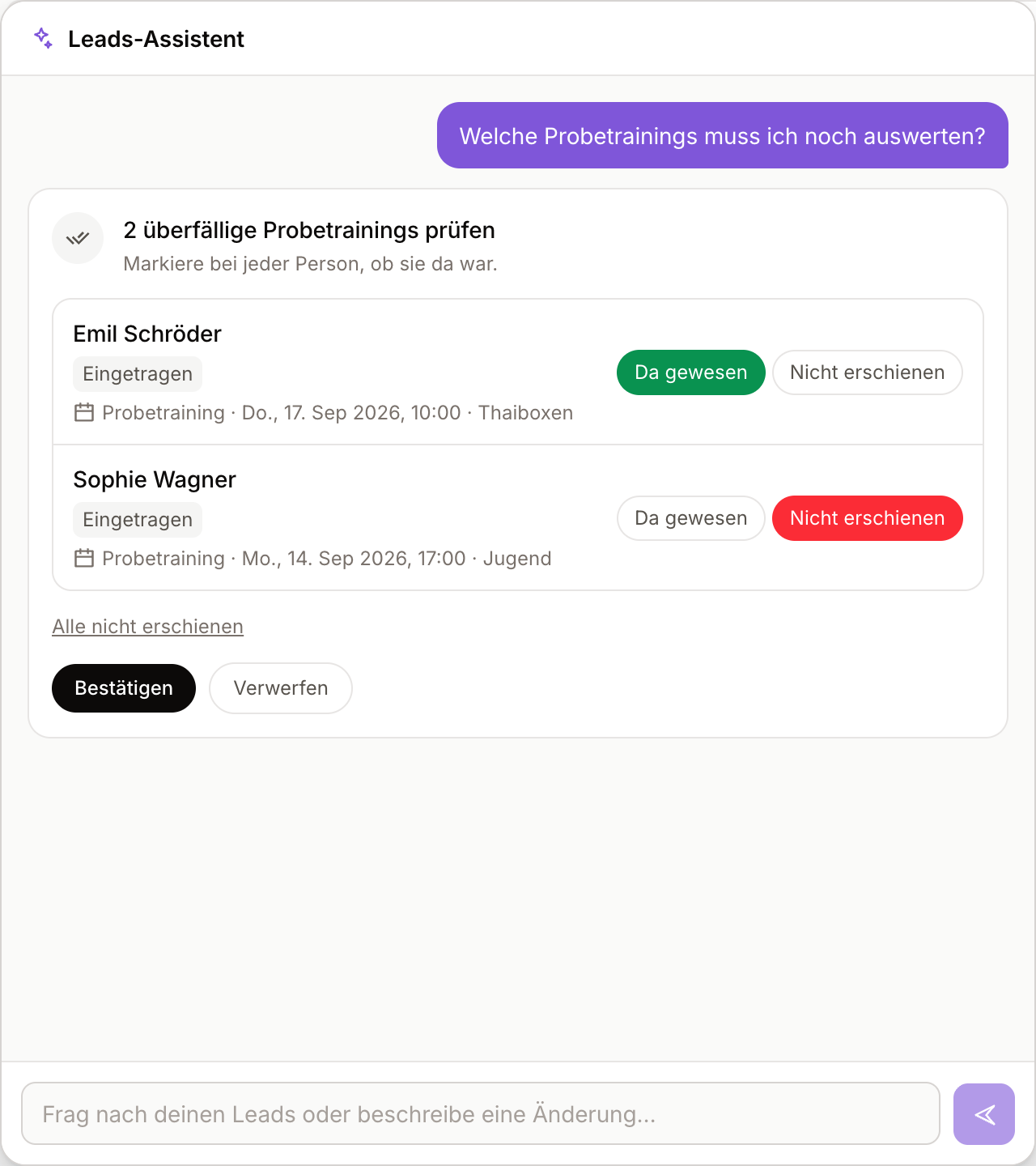
A status change made through the assistant never emails the lead. Your club's scheduled trial emails run as usual.
When you move a lead with a booked trial out of Scheduled or Rescheduled, the suggestion warns you first: this cancels the trial and frees the seat. It does not happen for Attended and No-show — there the trial has already taken place.
Not included
A suggestion does not always cover every lead you expect. Whatever is missing is stated on the suggestion itself.
Leads it passed over are listed under Not included, with the name and the reason:
| Reason | Meaning |
|---|---|
| changed since the suggestion | Someone moved the lead in the meantime. |
| already converted | The lead is a member already. |
| already in this status | The lead is already in the target column. |
| this move is not allowed | The board does not allow the step from that column to this one. |
| no past-due trial | There is nothing to sort out here. |
| not found or not accessible | The lead no longer exists, or it belongs to a venue you cannot see. |
And a suggestion covers at most 100 leads. When more match, it says so at the top: "Showing 100; 37 more matched and are not included." Confirm the suggestion, then ask again for the rest.
Several matches
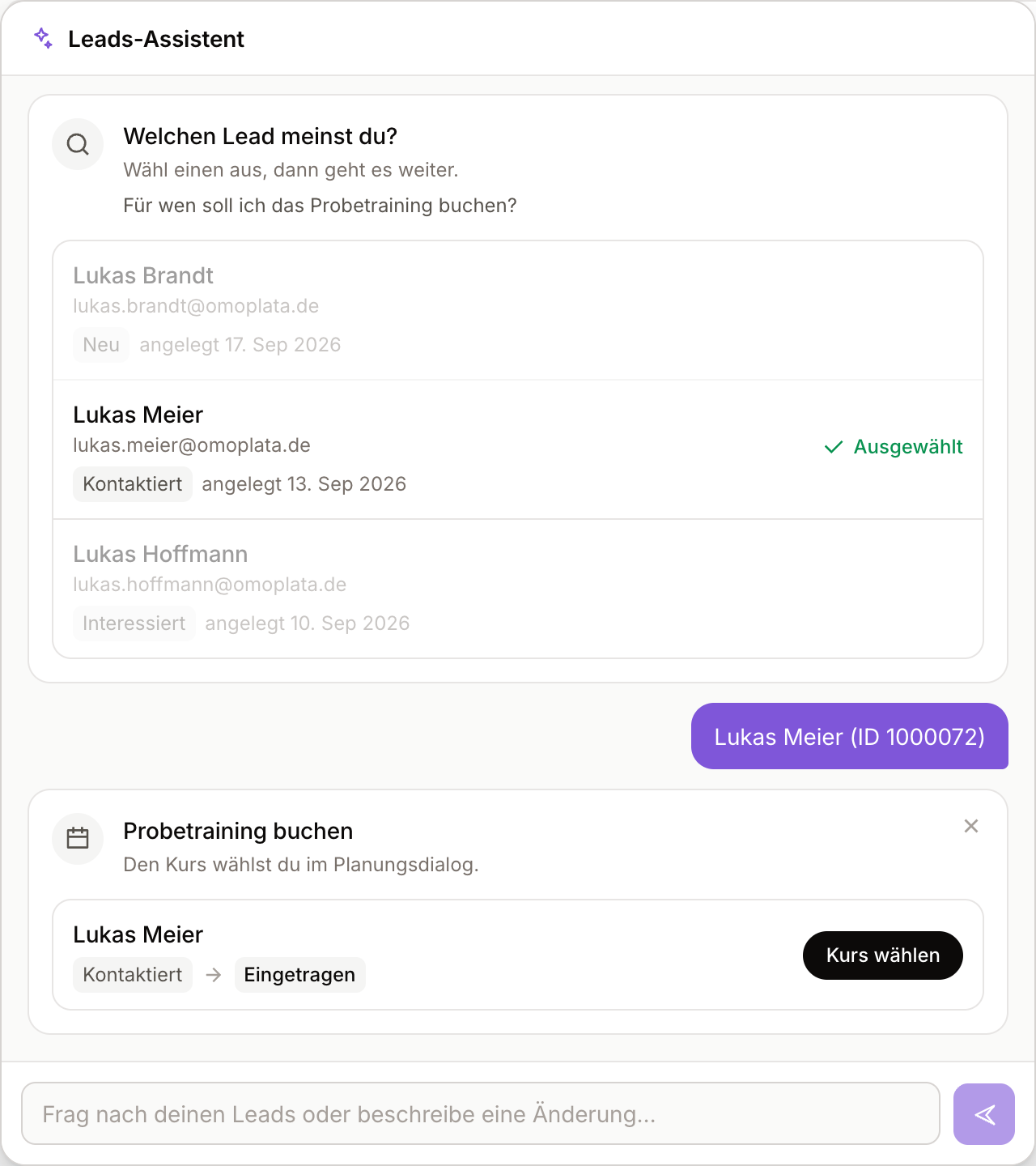
When a name matches more than one lead, the assistant asks which one you mean and shows each match with email, status and creation date. Click Select to carry on with the right lead.
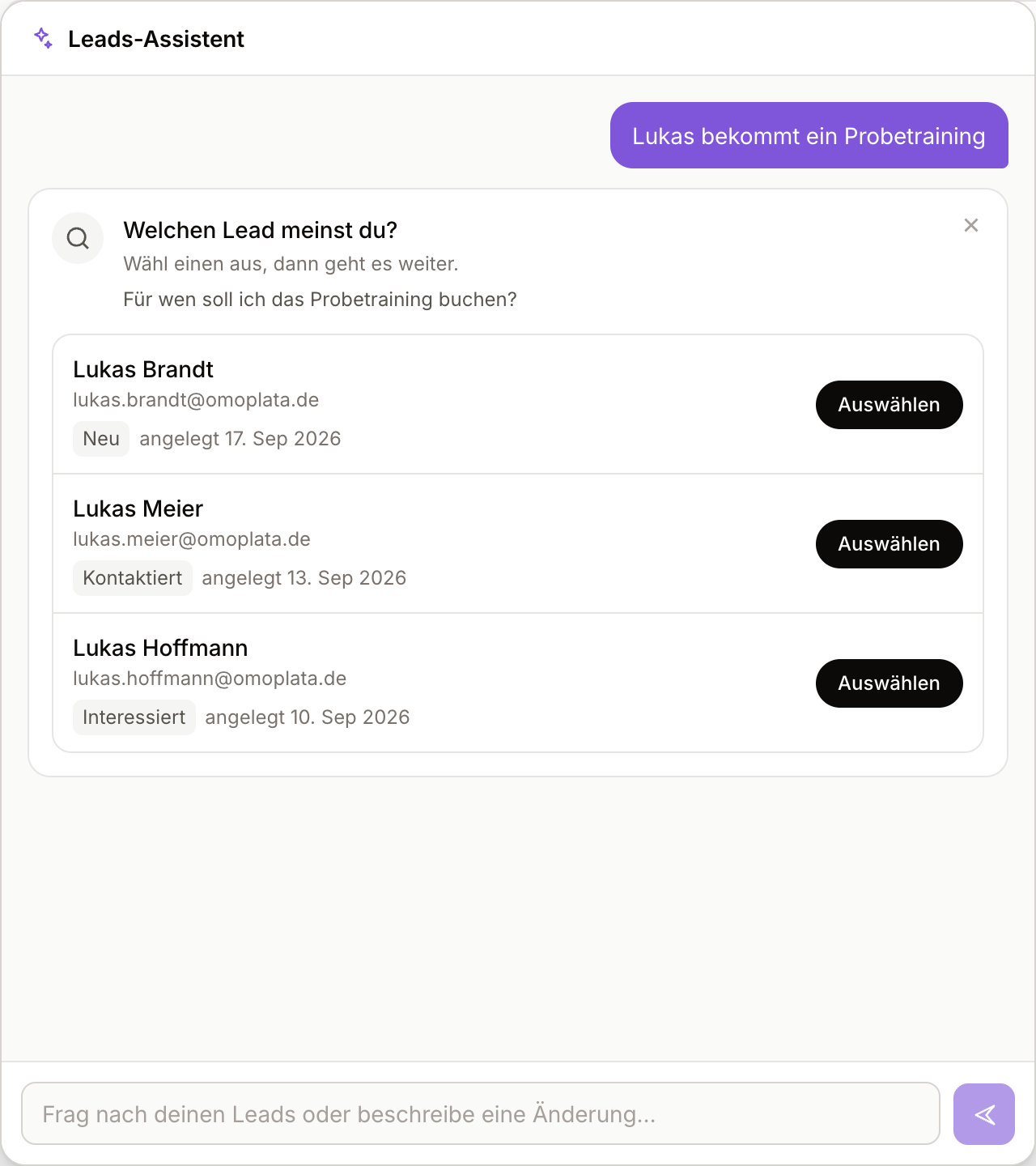
Leads who are already members
When someone is created as a member by hand, their lead stays on the board. The assistant finds those cases: it compares each lead's name and email address with your members (small typos are tolerated, and for kids the responsible adult's email counts too) and suggests a conversion for every match. You confirm in the usual dialog, which shows the matched member. "Tidy up my board" checks this as well.
A name alone is never enough for a match — a lead without an email address is left alone.
What the assistant will not do
It reads and it suggests, nothing more. It cannot:
- log contact attempts,
- write notes or comments on a lead,
- edit or delete a lead,
- send a message or email to a lead.
Ask anyway and it tells you so, and points you at the lead on the board.
It also never suggests Contacted, Attended or No-show on its own initiative — only you know whether a call or a class actually happened. Ask for it and it prepares the move like any other.
Permissions
- Anyone who can see leads can ask the assistant questions.
- Only people who can manage leads get suggestions for changes.
- Each person can send up to 10 messages per minute.
Privacy: what the AI model sees
We replace your leads' names and email addresses with placeholders before a request leaves our server. The model works with those placeholders; only our server puts the real names back.
- Masking. Names become codes like
[PERSON_1]; email addresses, phone numbers and IBANs are replaced too. - Answering. The model replies with something like "
[PERSON_1]has a trial on Thursday". - Unmasking. Our server puts the real names back before the answer reaches you. The mapping from code to name is never sent to the model.
What the model gets about your leads
- Searches: per lead, only the placeholder name, status, dates, number of contact attempts and lead ID. Email addresses are not sent at all.
- Context about the lead: its source, the venue and class of its trial, its training group, the disciplines it asked about, which channels you can reach it on (whether an email or phone number exists, never the values) and the notes your team wrote on it. Notes are free text: we shorten them and replace detected email addresses, phone numbers, IBANs and known names.
- Statistics: numbers only.
- Suggestions: the list with real names goes only to your browser. The model only learns how many leads the suggestion contains.
- History: earlier messages go back to the model masked; earlier suggestions only as lead IDs.
Examples
- "Move everyone in New to Contacted" — the question contains no personal data. The model looks up the leads (seeing only placeholders and IDs) and prepares the suggestion. Only you see the names in the suggestion; the model gets back "12 drafted". Clicking Confirm changes the leads directly in Omoplata, without the model.
- "Book a trial for Lukas Meier" — a lead's full name is masked in your question too. The model sees "Book a trial for
[PERSON_1]". - Picking between several matches — clicking Select sends "Lukas Meier (ID 1000072)"; the name is masked here as well.
What you type yourself
A first name on its own ("book a trial for Lukas") and other free text reach the model as you type them, except detected email addresses, phone numbers and IBANs. So don't write sensitive details into the chat that the assistant doesn't need.